Asia/Kolkata
BlogApril 11, 2026

Why You Can't Download Netflix Videos: A Deep Dive into DRM

Vaibhav Jha
This article is part of the Vaibhav Jha technical writing series on backend systems, software architecture, and core computer science topics explained with practical developer context.
Why You Can't Download Netflix Videos: A Deep Dive into DRM
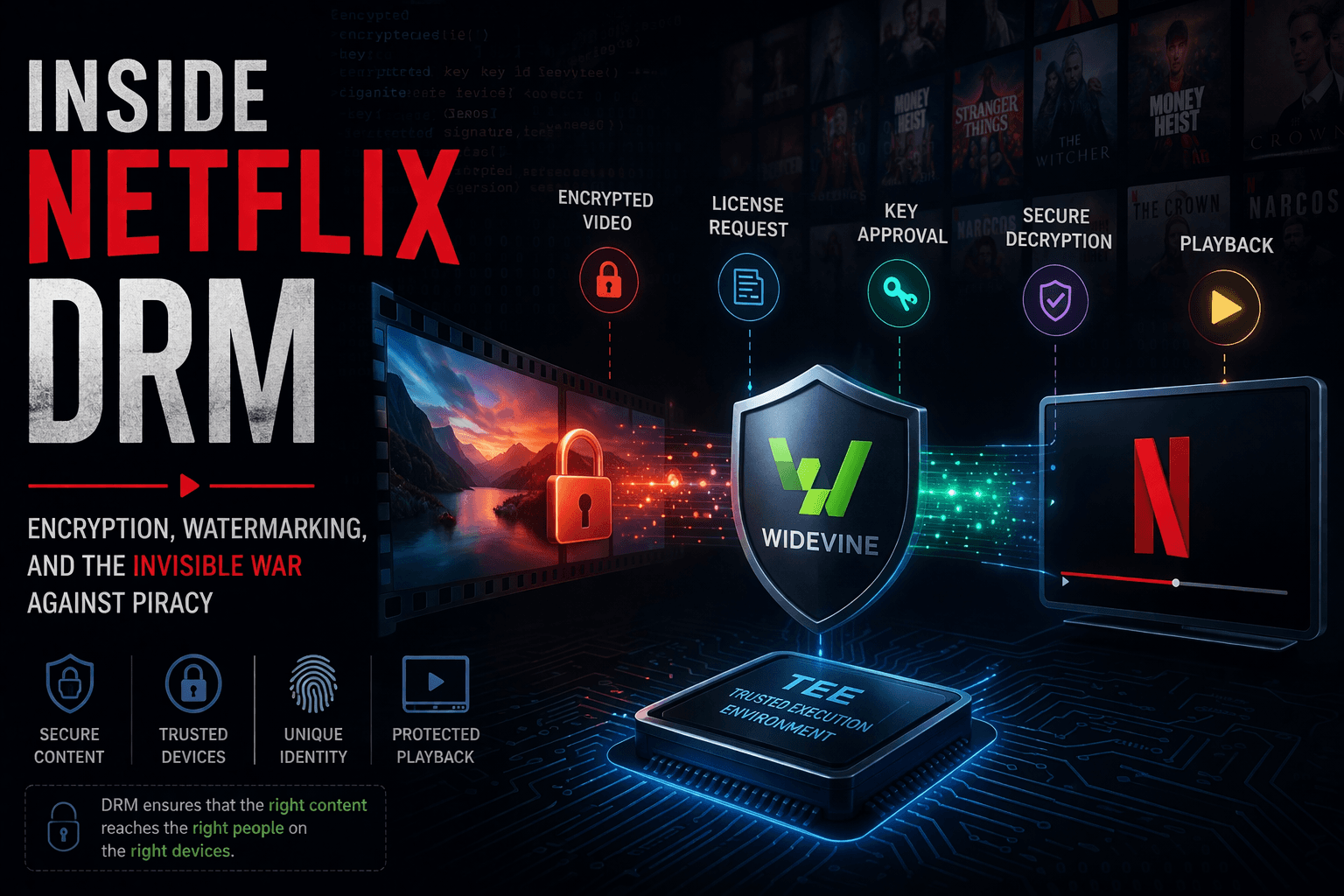
Netflix uses a DRM (Digital Rights Management) technology named Widevine by Google. Widevine is not just a tool; it is a complete security architecture that ensures only authorized users and trusted devices can access protected video content.
TEE is a secure area in your device where sensitive information is handled. It is isolated from the main OS, so even if the OS is compromised, critical secrets can remain protected. It has its own secure processing and storage layer. Sensitive assets like DRM keys, fingerprint data, and payment-related operations are handled in this environment.
Every Widevine-enabled device can be classified into one of three security levels:
  • Keys never leave the TEE
  • Decryption and processing happen inside secure hardware
Supports:
  • 4K / UHD / HDR streaming
  • Keys and decryption happen inside TEE
  • Video decoding happens outside secure hardware
Supports:
  • HD quality
  • No TEE involvement
  • Everything is handled in OS memory
Supports:
  • SD quality
Unlike symmetric encryption (single key for lock/unlock), asymmetric encryption uses:
  • Public key for encryption
  • Private key for decryption
This allows secure message transfer over insecure channels because only the intended recipient with the private key can decrypt it.
At a high level: Encrypted video → License request → Key approval → Secure decryption → Playback Now let us break down each stage.
Before playback, Netflix encrypts raw media using algorithms like AES. The encrypted stream is split into small chunks and distributed via CDNs (Content Delivery Networks).
When the user opens Netflix, the browser initializes Widevine. Then:
  1. Device capability is checked (L1/L2/L3)
  2. Maximum resolution is determined (4K, HDR, 1080p, etc.)
  3. A secure request is sent to the license server with:
    • Content ID
    • Device information
    • Security capability
The license server verifies the request. If verification fails, access is denied. If verification succeeds, a wrapped decryption key is returned. The key is never exposed in raw form and is designed to be accessible only in a secure environment like TEE.
The TEE receives the encrypted Content Encryption Key (CEK) and decrypts it internally. This keeps key material protected from normal user-space memory.
Encrypted chunks are fetched from CDN. TEE decrypts chunks using the CEK. Then the video is decoded and rendered to display.
Share this post: